
Building a Company Store: Custom Merch Without the Headache
Every company with more than 50 employees has the same merch problem. Marketing, HR, and sales all order separately, from different vendors, with slightly different logos, at full retail pricing, with rush shipping. The result is wasted money and inconsistent branding. A corporate branded merchandise store solves this by giving your team one centralized place to order pre-approved, on-brand items. This guide covers what company stores are, who they’re for, and how to set one up.
What We’ll Cover in This Article
- What a corporate branded merchandise store actually is
- Who company stores are built for (and who they’re not for)
- The real costs of decentralized merch ordering
- How a company store works in practice
- How to choose the right company store partner
- What setup and launch typically look like
What a Corporate Branded Merchandise Store Actually Is
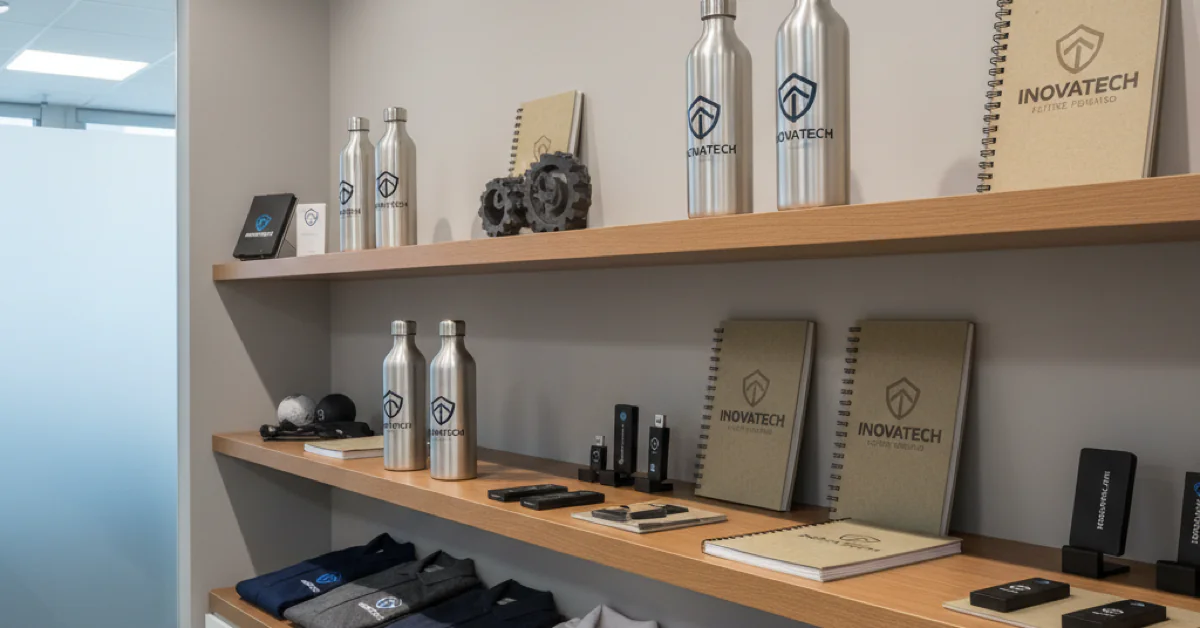
A company store is an internal e-commerce portal where employees or authorized buyers order pre-approved branded merchandise. It can include anything you’d put your logo on: apparel, bags, drinkware, office supplies, safety gear, uniforms, and promotional giveaways.
The key difference from “just ordering merch” is control. Every item is pre-approved for brand standards, pricing is negotiated in advance, and all orders flow through a single system with full spend visibility.
Company stores are the fastest-growing segment in promotional product distribution, according to PPAI reporting at their 2026 Expo. That growth reflects a clear trend: businesses are moving from scattered, ad hoc ordering to structured programs that protect brand consistency and reduce waste. For a closer look at why this investment pays off, our breakdown of branded merchandise ROI covers the numbers in detail.
Who Company Stores Are Built For
Company stores work best for:
Mid-size to large companies (50+ employees). Below this threshold, volume usually doesn’t justify setup. Above it, savings compound quickly.
Multi-location businesses. A company store ensures everyone orders from the same catalog with the same brand standards.
Companies with field teams or customer-facing staff. Consistent, quality branded apparel without managers placing individual orders.
Organizations running frequent events or campaigns. Standing inventory handles trade shows, recruiting events, and seasonal campaigns without rush-order chaos.
Who it’s not for (yet): Very small businesses with minimal merch needs or companies that only order branded items once or twice a year.
The Real Costs of Decentralized Merch Ordering
Most companies undercount what decentralized ordering actually costs:
Rush fees. One-off orders mean everything is urgent. Rush fees add 20 to 40% and compound fast across departments.
Brand inconsistency. Different vendors use different Pantone matches, logo files, and print methods. Your brand looks different depending on who ordered what.
No volume pricing. Independent ordering means nobody hits volume thresholds for better pricing.
Wasted inventory. Departments overbuy “just in case” and end up with boxes of unwanted items in storage.
Administrative overhead. Every department researches vendors, gets quotes, tracks shipments, and handles returns. That time has a real cost.
The ASI Ad Impressions Study found that 79% of people are more likely to do business with a company after receiving a promotional product, and 85% remember the advertiser. Those numbers only work if the item is quality and on-brand.
How a Company Store Works in Practice
Here’s what the day-to-day experience looks like once a company store is up and running:
For Employees and Department Buyers
1. Log into the company store portal (usually web-based, accessible from any device)
2. Browse pre-approved items organized by category: apparel, drinkware, bags, office supplies, safety gear, event merch
3. Select items, sizes, and any available customization options
4. Check out using a department budget code, credit card, or pre-loaded allowance
5. Items ship directly to the employee, office, or event location
For the Company
- Brand control. Every item is pre-approved. No rogue logos or off-brand colors.
- Budget visibility. Total spend by department, category, and time period.
- Inventory management. Stocked inventory, print-on-demand, or hybrid model. Core items stocked, specialty items on-demand.
- Reporting. Monthly or quarterly reports on what’s selling, what’s sitting, and where to adjust.
Stocked vs. Print-on-Demand
| Factor | Stocked Inventory | Print-on-Demand |
|—|—|—|
| Best for | High-volume core items (polos, t-shirts, bags) | Low-volume specialty items, one-off requests |
| Per-unit cost | Lower (bulk pricing) | Higher (single-unit production) |
| Turnaround time | Fastest (ships from warehouse) | Slower (produced after order) |
| Inventory risk | Higher (unsold items become waste) | Minimal (nothing produced until ordered) |
| Customization | Limited to pre-produced options | Flexible (name embroidery, department logos) |
| Setup complexity | Requires upfront forecasting and warehousing | Simpler to launch, easier to iterate |
The workwear and corporate uniform market alone is projected to grow from $19.2 billion to $28.1 billion by 2033 (Grand View Research). That’s a massive segment of spend, and a company store gives you direct control over how your slice of it gets managed.
How to Choose the Right Company Store Partner
Here’s what to evaluate:
1. Platform capability. Easy for employees, manageable for admins, with mobile access and department-level budget controls.
2. Fulfillment model. Does the partner handle warehousing, production, and shipping end-to-end?
3. Decoration quality. Ask for samples of embroidery, screen printing, and heat transfer. Compare logo accuracy and durability after washing.
4. Inventory management. Demand forecasting, reorder point management, and dead stock minimization.
5. Reporting and analytics. Spend visibility by department, item, and time period.
6. Brand compliance controls. Locked logo files, pre-approved color palettes, and restricted customization.
Quick evaluation checklist:
- [ ] Platform is user-friendly for non-technical employees
- [ ] End-to-end fulfillment (production, warehousing, shipping)
- [ ] Decoration quality meets brand standards
- [ ] Demand forecasting and inventory management
- [ ] Reporting by department, item, and time period
- [ ] Brand controls prevent unauthorized modifications
What Setup and Launch Typically Look Like
Here’s the typical timeline:
Discovery and planning (2 to 3 weeks). Define goals, identify your catalog (start with 15 to 25 core items), set budgets, and establish brand guidelines.
Store build and product setup (2 to 4 weeks). Your partner configures the platform, uploads imagery, sets pricing, and builds the user experience. You review and approve before launch.
Pilot launch (2 to 4 weeks). Roll out to one or two departments. Gather feedback on ordering, fulfillment speed, and product quality.
Full launch and ongoing management. Open the store to all authorized users. Communicate the launch internally with clear instructions. Plan for quarterly catalog reviews to refresh items, retire slow movers, and add new products. For businesses in the York and Lancaster area looking for local support on this process, our guide to outsourced printing in York and Lancaster covers what regional partnership looks like.
Doceo Pro Tip
Start your company store with 15 to 20 items, not 50. A smaller, curated catalog is easier to manage, cheaper to stock, and gives you real data on what your team actually orders before you expand. You can always add items. It’s much harder to clear out inventory you shouldn’t have ordered in the first place.
FAQs
Q: How much does it cost to set up a company store?
A: Many partners include setup in their service agreement. Ongoing costs are built into per-item pricing or a small platform fee. Savings from consolidated ordering typically offset costs within the first quarter.
Q: Do we need to buy inventory upfront?
A: Not necessarily. Print-on-demand models let you launch with zero inventory investment. A good partner helps you right-size stocked orders.
Q: Can departments have different product access?
A: Yes. Most platforms support role-based access and department-level budget controls.
Q: What if our logo or brand guidelines change?
A: A good partner updates logo files and designs across the entire catalog. Stocked inventory with old branding will need to be sold through or written off.
Q: How do employees pay for items?
A: Options include department budget codes, individual allowances, corporate credit card, or personal payment for optional items.
Q: Can we include non-branded items like plain safety gear?
A: Yes. Many stores mix branded and unbranded items, especially for workwear and safety categories.
Q: How often should we refresh the product catalog?
A: Quarterly reviews. Drop slow movers, add seasonal products, and refresh core items annually.
Q: What’s the minimum order size for a company store to make sense?
A: Benefits become clear at 50+ employees spending at least $10,000 to $15,000 annually on branded merchandise.
Q: Can we use a company store for client gifts and event merch too?
A: Absolutely. Many stores include “client gifts” or “events” categories with curated kits and giveaway packs.
Q: How do returns and exchanges work?
A: Most partners handle returns directly, especially for sizing issues. Print-on-demand items may have more limited return options.
Next Step
Want a second set of eyes on your situation? Whether you’re starting from scratch or looking to upgrade a messy merch process, we’re happy to talk through your options.